
WP Debug Toolkit (WPDT) provides keyboard shortcuts in both the standalone Viewer App and the WordPress admin dashboard. Press the ? key at any time inside the Viewer App to open the shortcuts overlay and see the full list without leaving your current view.
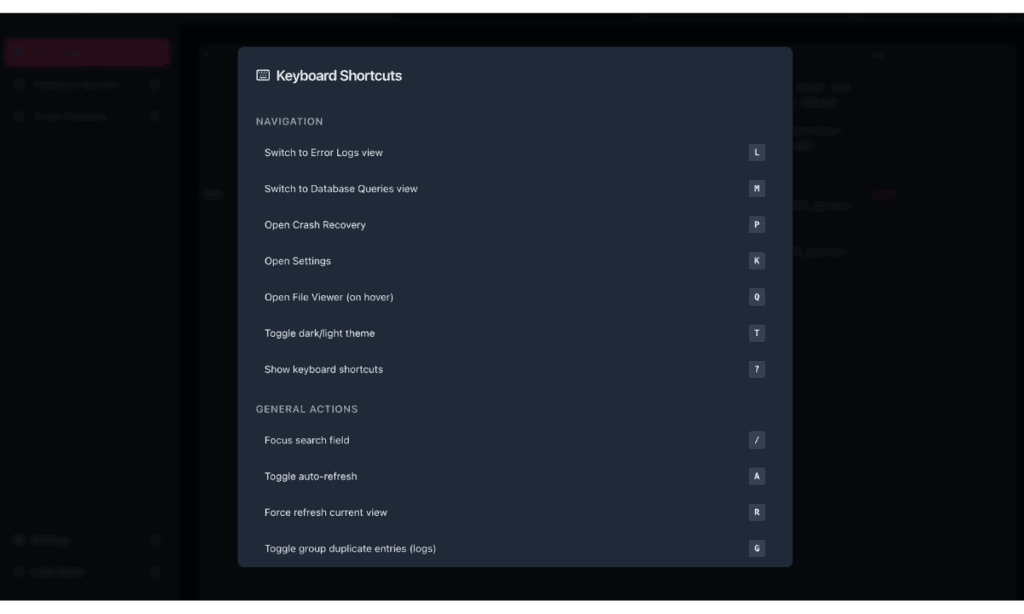
WPDT covers the full range of common viewer actions with keyboard shortcuts, organized by function. The groups below match what you would see in the shortcuts overlay.
Use these shortcuts to move between the main views and settings of the Viewer App.
| Shortcut | Action |
|---|---|
| L | Switch to Error Logs view |
| M | Switch to Database Queries view |
| P | Open Crash Recovery |
| K | Open Settings |
| Q | Open File Viewer (on hover) |
| T | Toggle dark/light theme |
| ? | Show shortcuts overlay |
Use these shortcuts to control search, refresh behavior, duplicate grouping, and the filters panel.
| Shortcut | Action |
|---|---|
| / | Focus search field |
| A | Toggle auto-refresh |
| R | Force refresh current view |
| G | Toggle group duplicate entries (logs) |
| F | Toggle filters panel |
| Esc | Clear search / Close dialogs |
Use these shortcuts to copy, export, expand, or clear the data currently visible in the viewer. X and E require hovering over an entry first.
| Shortcut | Action |
|---|---|
| C | Copy all data to clipboard |
| X | Copy single entry (on hover) |
| D | Download/Export data |
| E | Expand/collapse query row (on hover) |
| Shift+R | Clear logs/queries (with confirmation) |
These shortcuts apply when the confirmation dialog appears, such as after pressing Shift+R.
| Shortcut | Action |
|---|---|
| Enter | Confirm deletion |
| Esc | Cancel deletion |
These shortcuts activate only when you are in the Error Logs view and the filters panel is open. Press F to open the filters panel first.
| Shortcut | Action |
|---|---|
| 0 | Reset all filters |
| 1 | Open Level filter |
| 2 | Open Time filter |
| 3 | Open Source filter |
| 4 | Open Plugin filter |
| 5 | Open Theme filter |
These shortcuts activate only when you are in the Database Queries view and the filters panel is open. Press F to open the panel first.
| Shortcut | Action |
|---|---|
| 1 | Open Time filter |
| 2 | Open Component filter |
| 3 | Open Type filter |
| 4 | Toggle Slow queries only |
| 5 | Toggle Errors only |
| 6 | Toggle N+1 patterns only |
| 7 | Toggle Recording filter |
These shortcuts work on the Debug Toolkit › Overview page in the WordPress admin.
| Shortcut | Action |
|---|---|
| I | Open the viewer installer |
| O | Open the viewer in a new tab (when installed) |
| R | Remove the viewer |
| Q | Open the query dialog (requires Query module) |
Setting Up the WordPress Error Logs Viewer App – Install and configure the standalone Viewer App where most of these shortcuts apply.
How to Use the WordPress Error Log Viewer – Explore the full Error Logs view, including the File Viewer and filtering tools where the Error Logs specific shortcuts are most useful.
How to Debug WordPress with WP Debug Toolkit – Walk through WPDT from a standing start, covering Error Logs, Query Viewer, and Debug Management together
